

Standardize Structure Stage
The Standardize Structure stage defines the columns the flow expects: the name, order, and type of each one. With it, you can do two things that the other preparation stages cannot:
Build the flow before you have the file. Without a connected source, the stage provides an empty table with the declared columns, and the following stages can already be configured.
Always keep the output in the same format. With a connected source, you indicate which input column feeds each declared column. The output contains only the declared columns, and any column without an input column is output empty (NULL).
This is useful when the same report arrives from different sources, each with its own column names: one Standardize Structure stage per source, all delivering the same columns, so the rest of the flow does not need to know where the data came from.
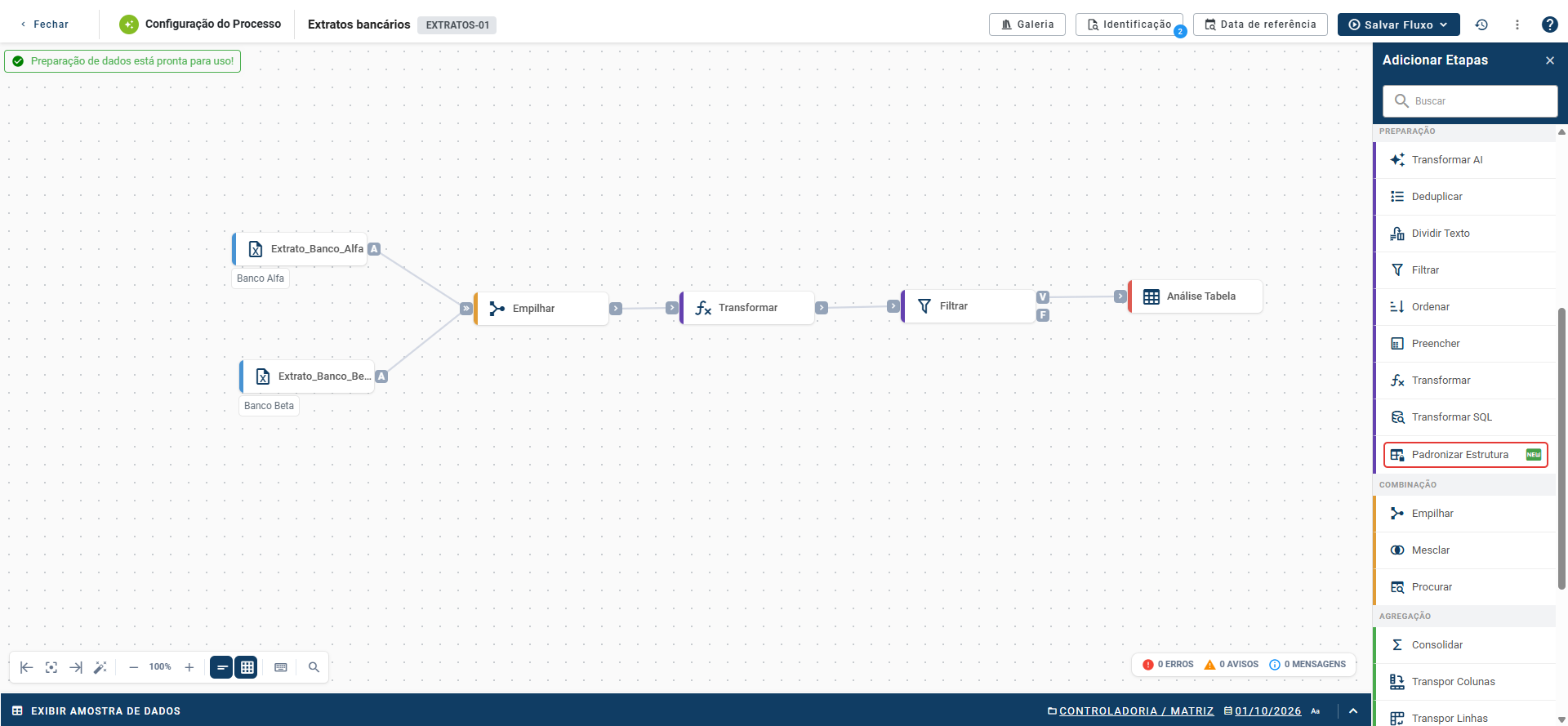
The Standardize Structure stage is in the Preparation category of the Add Steps panel, which opens from the + button in the upper-right corner of the flow. It is available in Turbo AI processes.
Configure the Standardize Structure
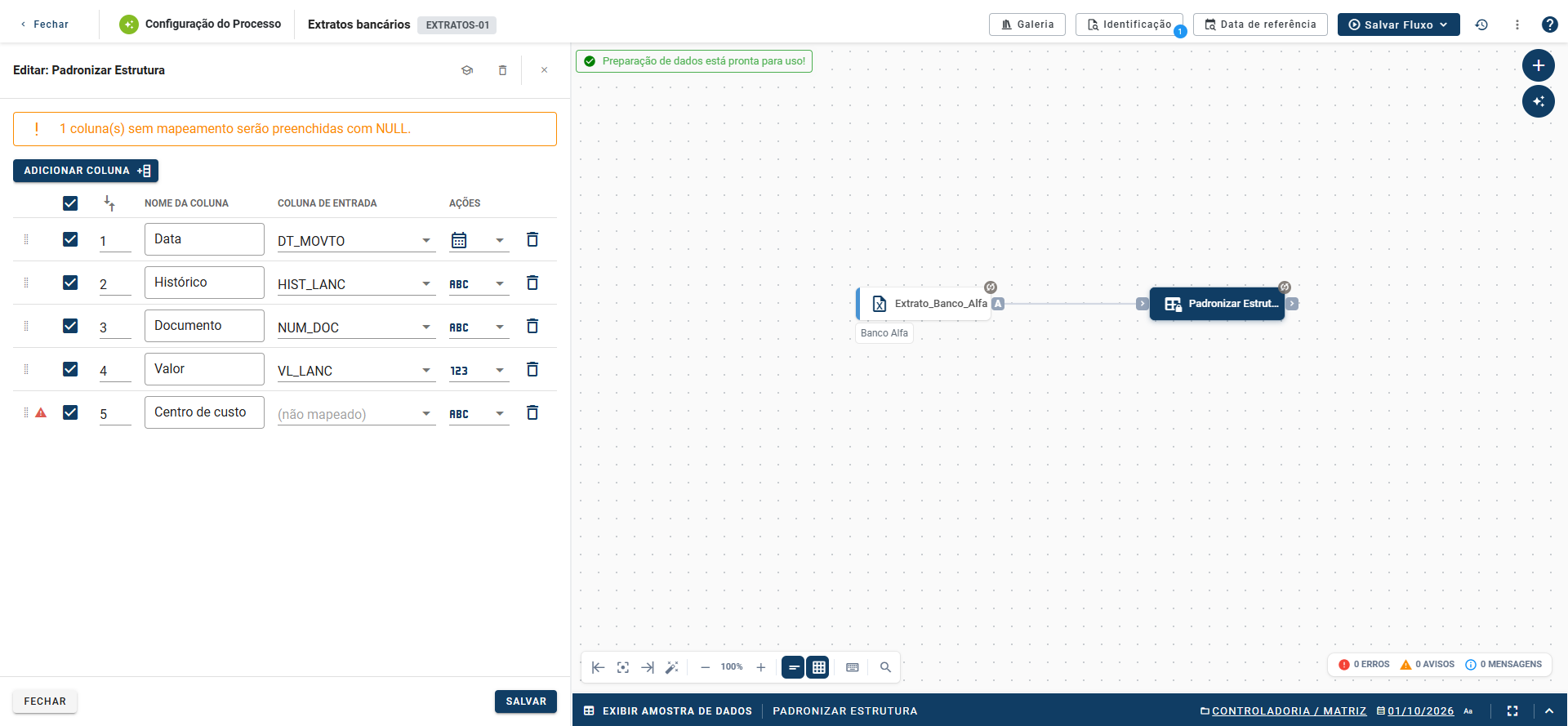
Double-click the stage to open its configuration in the Edit: Standardize Structure side panel. Each table row is an output column. Use Add column to create a new row. In each row:
Drag handle: on the left, reorders the columns.
Checkbox: enables or disables the column in the output.
Order: the number indicates the column's position. Change the number or drag the row.
Column Name: the column name in the output. Duplicate names are not allowed.
Input column: the source column that feeds this column. The field is available only with a connected source; without a source, it displays "Connect a source". Leave it as "(unmapped)" for the column to be output empty.
Data type: the selector with an icon defines whether the column is Text, Numeric, or Date. A new column starts as Text.
Trash: removes the row.
The type selector and trash icon are under the table's Actions heading.
Source columns that do not appear in any row are not passed to the output. Declaring the columns also discards the rest, without requiring another stage to do so.
Unmapped columns: with a connected source, the platform indicates how many declared columns have no input column, as in "1 column(s) without mapping will be filled with NULL.", and marks each one with a warning icon. They do not prevent saving: they are output empty. Check that this is what you want.
Save and close
Close: closes the panel without saving.
Save: saves the configuration. If two column names are identical, the platform displays "Column name already in use" and does not save.
Standardize Structure or Transform
The configuration resembles that of the Transform stage, with two differences: Standardize Structure has no formula (it renames, reorders, and defines the type without calculating) and works without a connected source. If you need to calculate a column, use Transform. If you need to fix the flow's columns, use Standardize Structure.
Usage examples
Keep only what matters: a source provides 18 columns with internal names, such as COD_NEG, COD_EMP, DT_EMISSAO, and VL_NOMINAL. Standardize Structure declares two: Business, fed by COD_NEG, and Company, fed by COD_EMP. The output contains only these two columns, already with the new names.
Standardize multiple sources: two databases send the same statement with different column names. Each source gets its own Standardize Structure stage, both declare the same columns, and a Stack stage combines the results.
Build the flow before the file: add Standardize Structure without a source, declare the columns the file will provide, and configure the following stages. When the file arrives, connect the source stage to the input of Standardize Structure and choose the input column for each row.
Related articles
Transform stage
Stack stage
Data flow